 Screenpresso


2026年10月15日
2.3.7.11
Screenpresso 2.3.7.11
Video recording
- Replaced the old AVI recording format with MP4.
- Added separate volume controls for the microphone and computer sound.
- Simplified video quality choices and added an Ultra high option for sharper recordings and larger files.
- Added a Stop waiting button for recordings that took unusually long to save.
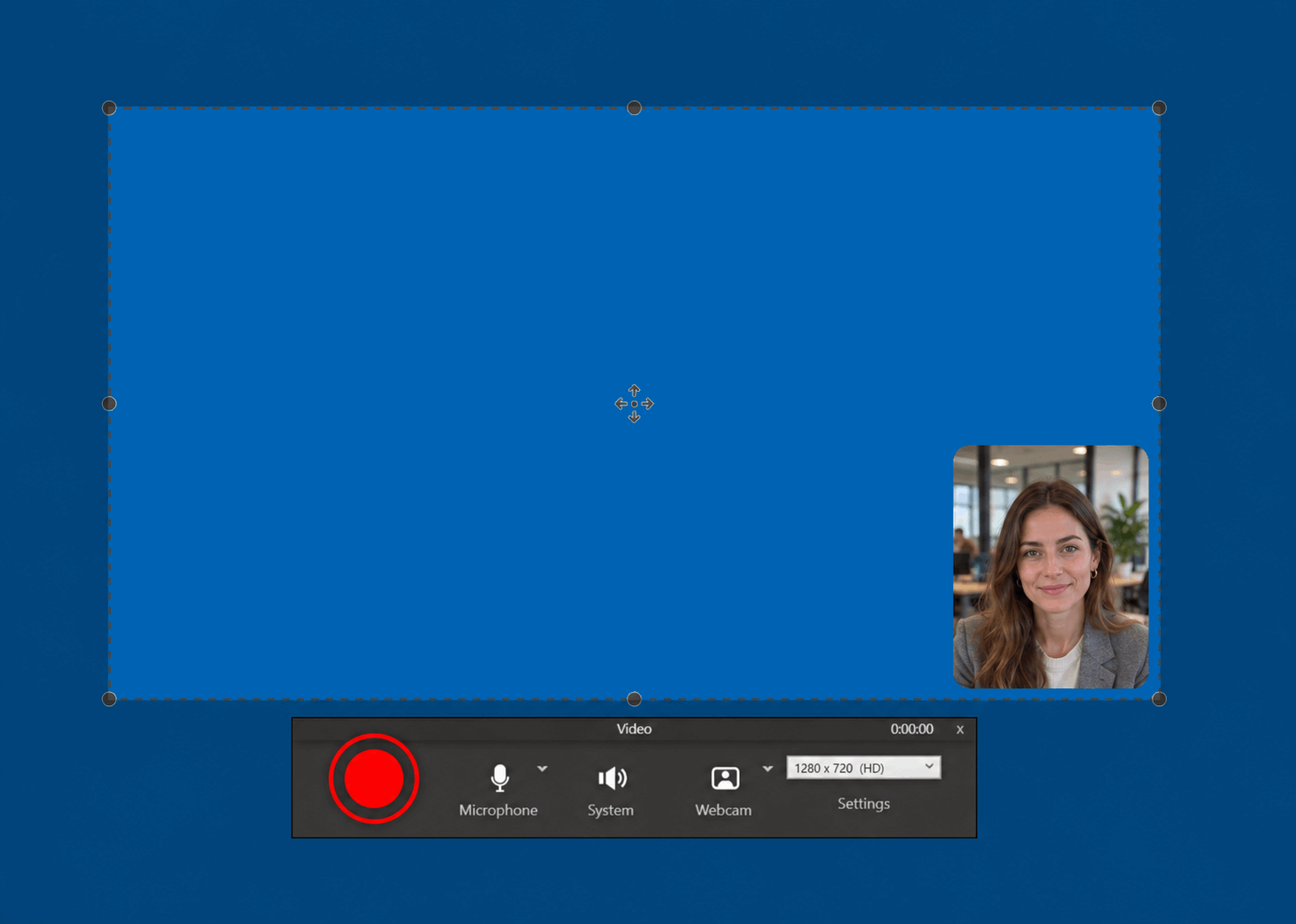
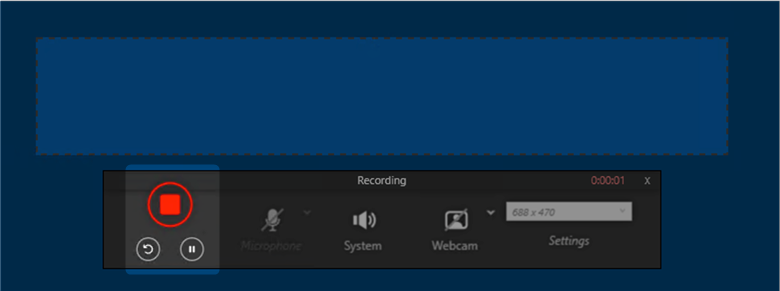
- Refreshed the recording toolbar.
- Changed the default webcam view to a circle in the bottom-right corner.
- Moved subtitle generation to the video player, so subtitles could be added after recording.
- Added an alternative recording method for computers where the usual method could not start.
- Made microphone and webcam selection more reliable.
- Reduced recording file sizes.
- Made recordings quicker to start.
- Made recording across multiple screens smoother.
- Adjusted recording smoothness to suit the computer's available performance.
- Made quiet voices easier to hear.
- Reduced the time needed to finish saving demanding recordings.
- Improved recovery of interrupted recordings so the picture stayed in sync with sound.
- Fixed sound falling behind the picture during demanding recordings, such as large screen areas at high quality.
- Fixed distorted recording audio.
- Fixed recordings failing to start on Windows 10 and older Windows 11 versions.
- Fixed recording startup problems when a microphone was unavailable.
- Fixed recordings getting stuck when a watermark was enabled.
- Fixed recording problems with capture areas near screen edges.
- Kept recordings running when a sound device or screen was disconnected.
- Fixed problems with recordings that used the graphics card.
- Fixed the text cursor being hard to see in recordings on screens with enlarged text and icons.
- Fixed recordings failing to start with an Access denied message when the workspace was stored in a folder marked as hidden or as a system folder.
Video editing
- Added subtitle and written transcript generation from the video player's Subtitles menu, with a choice of language and progress updates.
- Added an editor to change subtitle text and timing while watching the video.
- Added an option to show or hide subtitles during playback.
- Saved generated and edited subtitles inside MP4 videos, while keeping a separate subtitle file for further editing.
- Made subtitle windows resizable and easier to read on screens with enlarged text.
- Added French translations for subtitle generation and editing.
- Made trimming easier with draggable handles and labels showing how much would be removed.
- Renamed Convert to Apply in the video player.
- Added a Saved confirmation when saving a video frame as an image.
- Made the video player window appear immediately while the video loaded.
- Removed the extra video-pack download previously needed to play videos.
- Closed the subtitle generation window automatically after saving the subtitles and transcript.
- Clarified how to resume subtitle generation after an interruption.
- Updated the built-in video player.
- Removed unused files from previous video player versions to save disk space after updates.
- Fixed the subtitle editor selecting the first subtitle instead of the one at the paused video position.
- Fixed subtitle generation getting stuck on upload preparation when the usage limit had been reached.
- Kept recordings available to save even when the preview could not open.
- Fixed a problem that could delete the original video when closing the player without making changes.
- Fixed the video player failing to open when running Screenpresso without installing it.
- Fixed the Subtitles button being too narrow on screens with enlarged text and icons.
- Fixed empty, unplayable videos when resizing with the Exact option, which added black bars to fit the chosen size.
- Fixed empty animated GIFs when exporting with a different image size.
- Fixed exported videos losing their chosen size when changing playback speed with the Exact resize option.
- Fixed failed video exports being reported as successful; the original video was kept in the workspace and an error was shown.
- Replaced misleading reinstall instructions with a clearer message when the standalone video player could not run on an ARM-based computer.
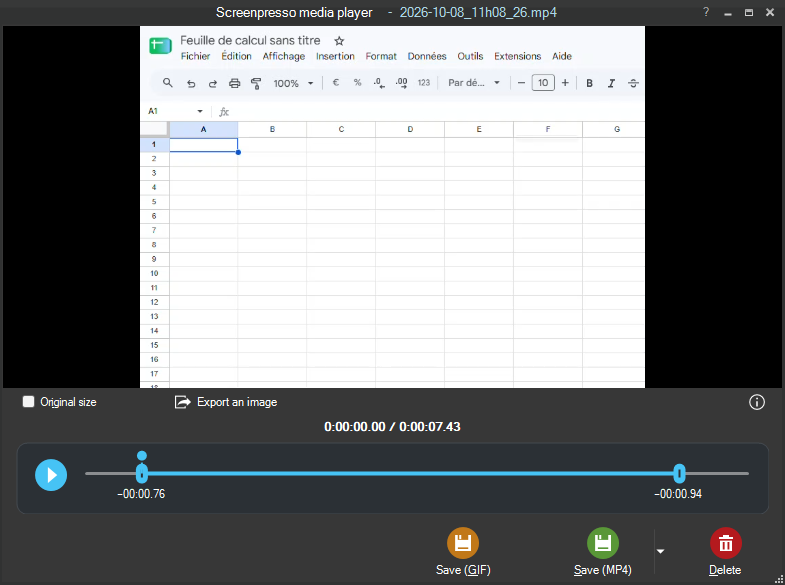
Image editing
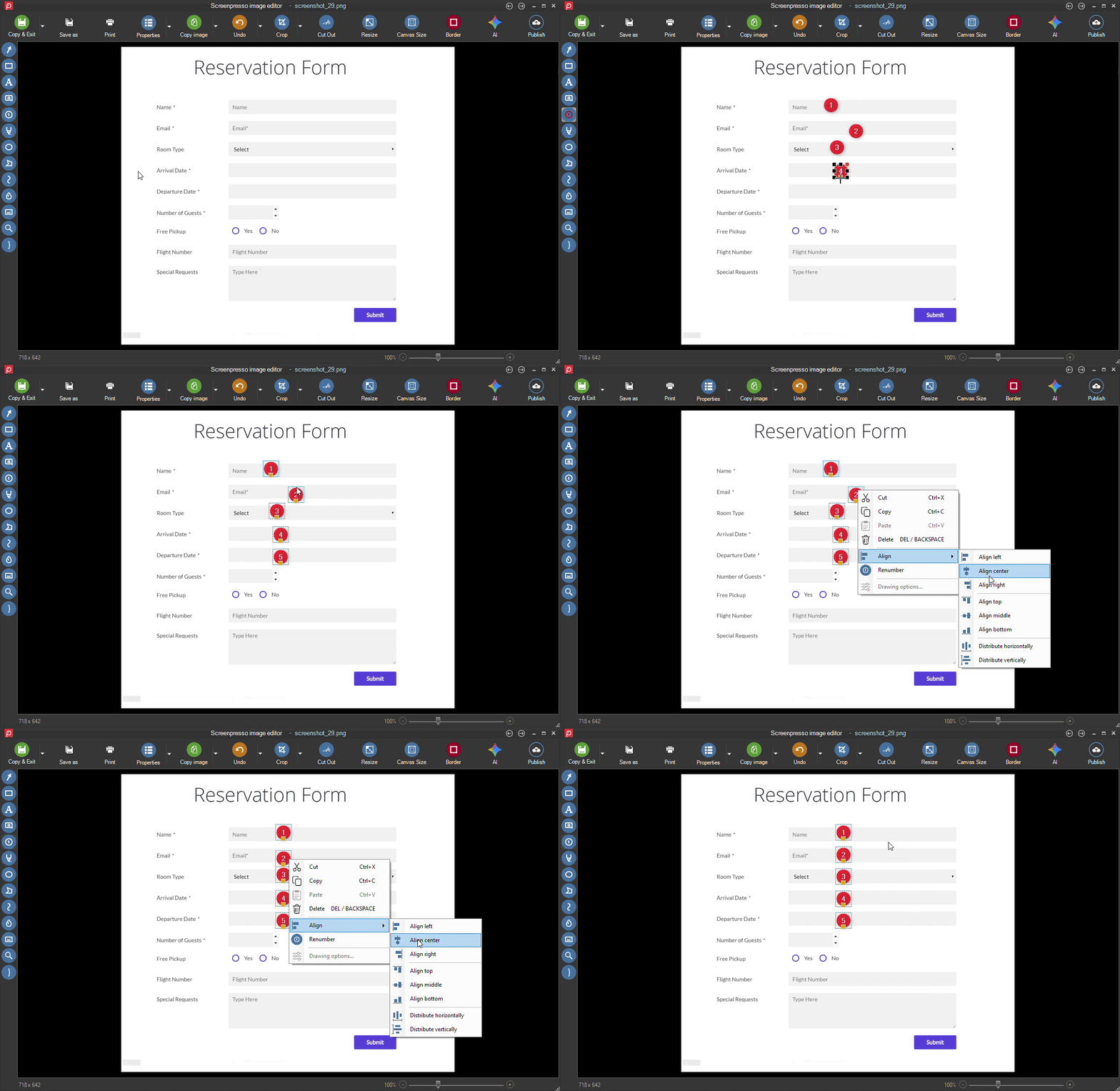
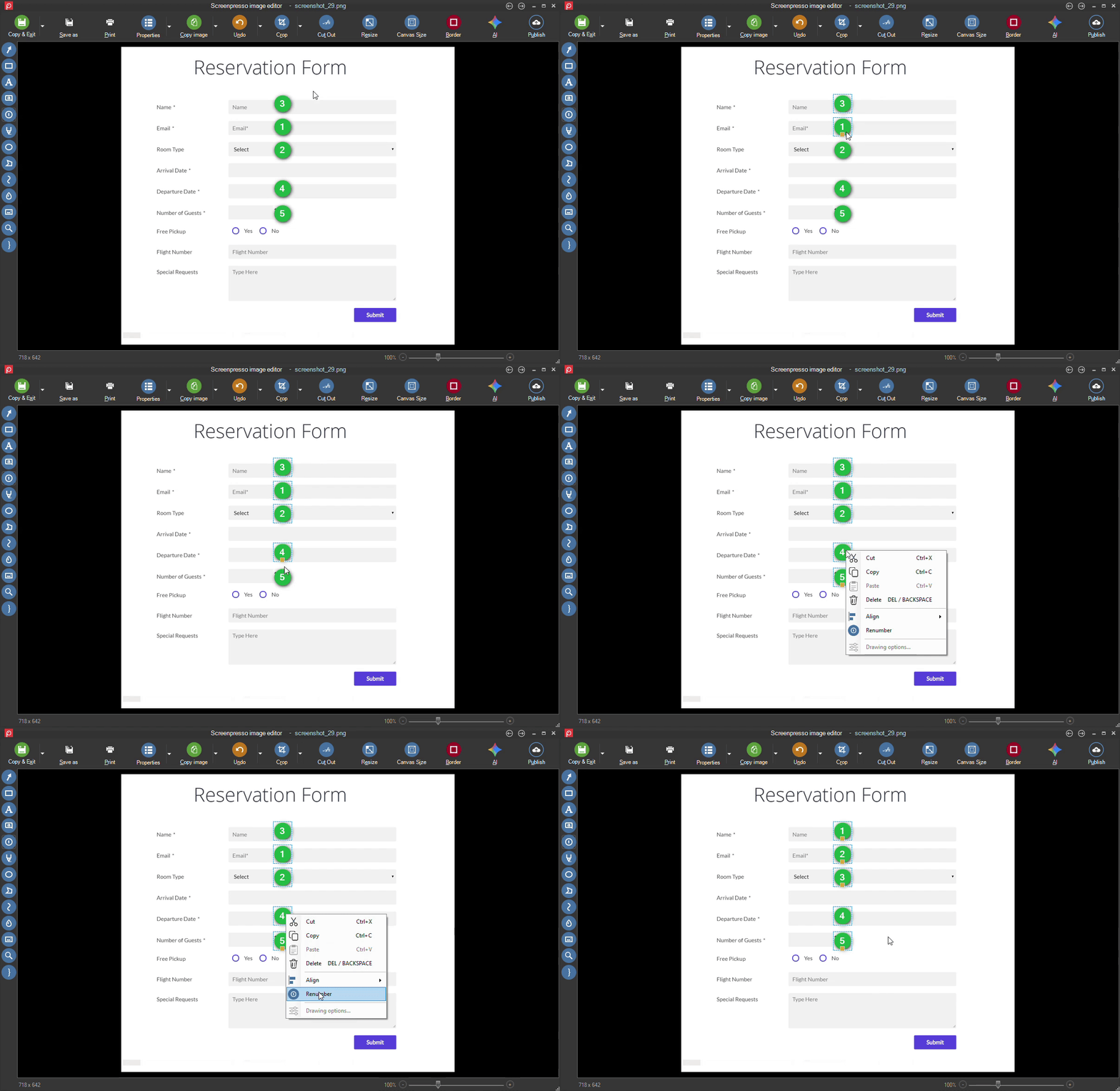
- Added tools to select several items, align them, and space them evenly.
- Added Renumber to quickly reorder numbered annotations.
- Updated Copy and Exit to copy both the image and its file location.
- Made blurring and drawing faster.
- Fixed an error when pasting images from the clipboard.
- Fixed selection handles disappearing or appearing when they should not.
- Fixed Page Down opening the image properties panel instead of simply moving to the next image.
Workspace
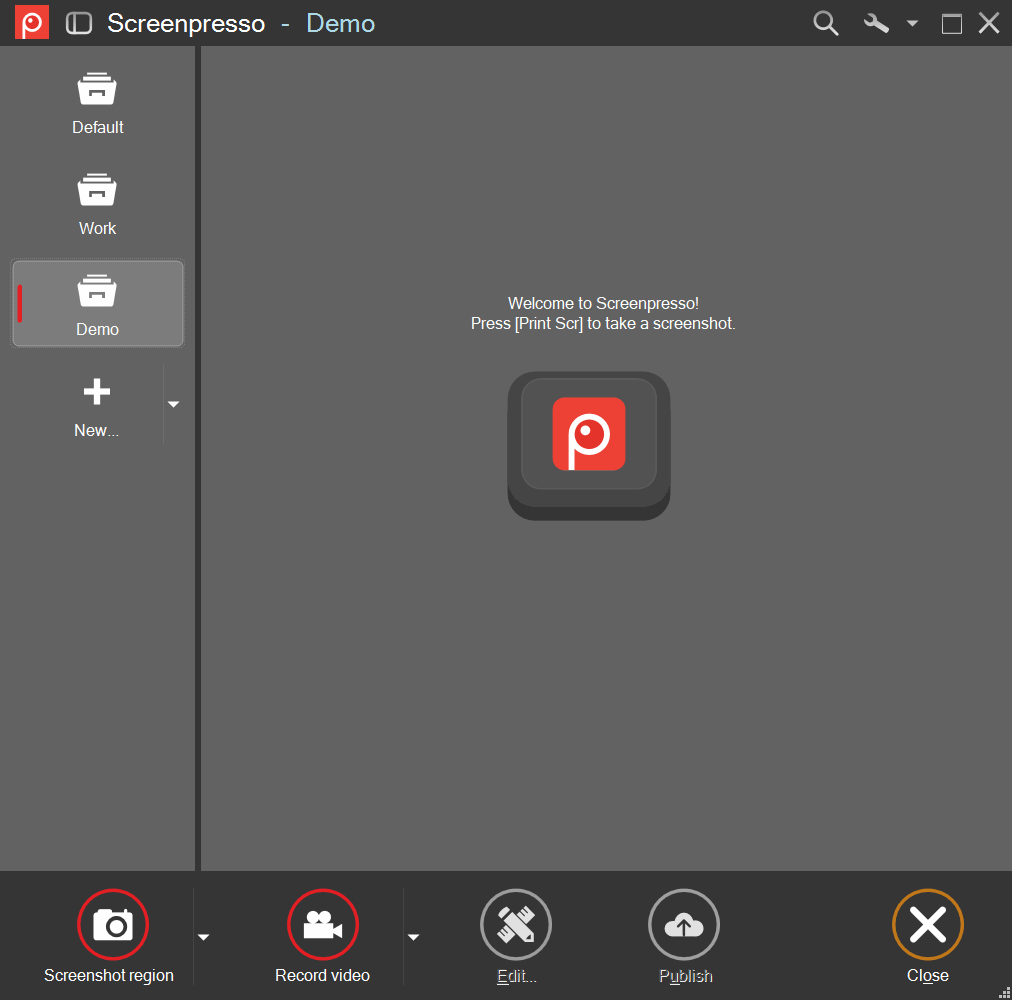
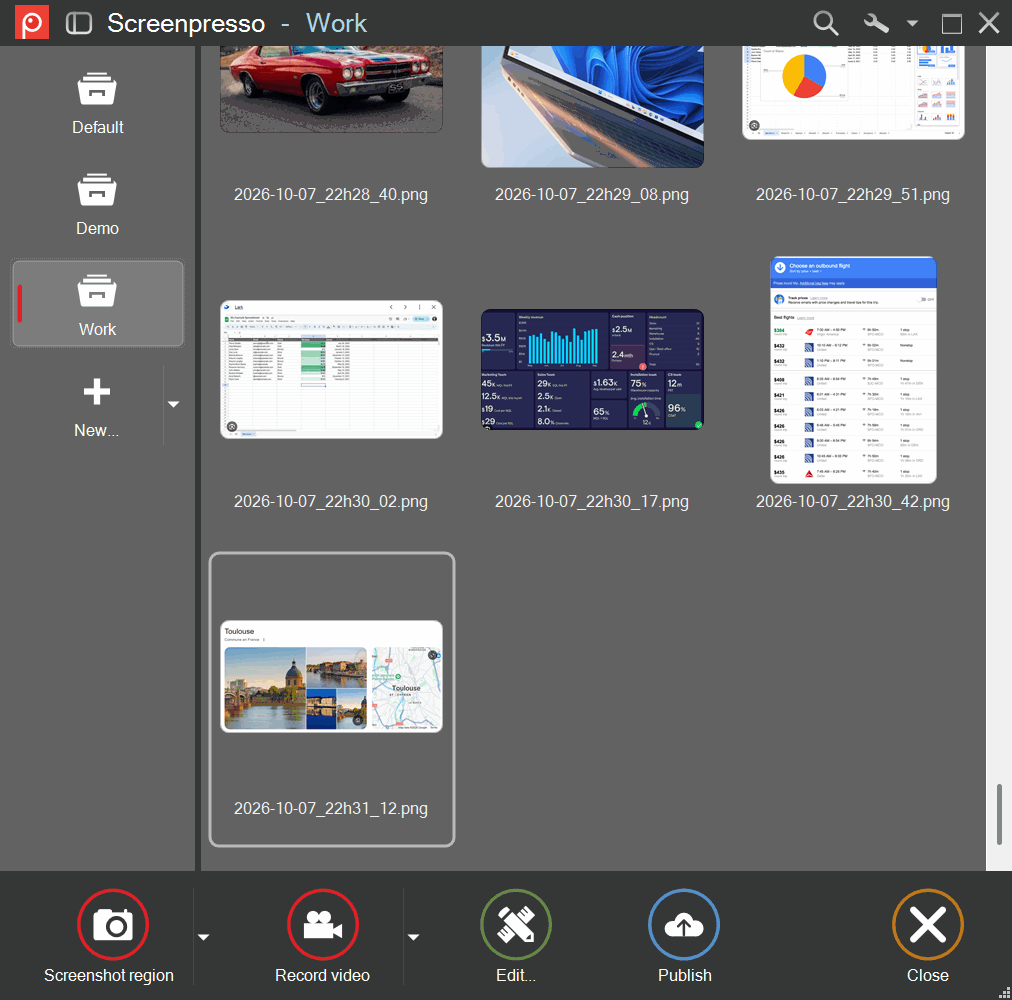
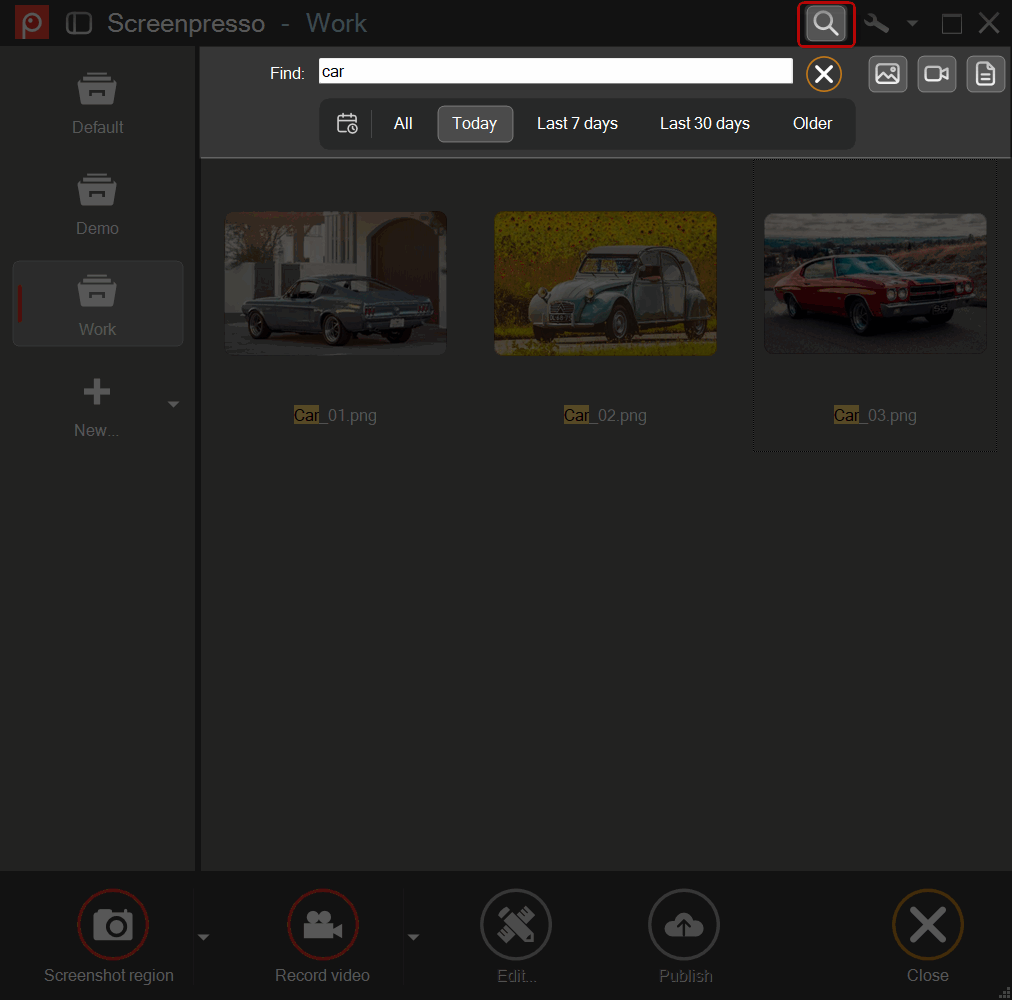
- Added date filters to quickly find recent or older captures.
- Removed automatic cleanup and file-count limits, so captures stayed in the workspace until deleted.
- Moved sorting and workspace preferences into the workspace menu.
- Made the quick view window easier to resize.
- Made the workspaces panel quicker to open and close.
- Made browsing captures smoother.
- Made filenames easier to read.
- Fixed missing capture previews.
- Fixed filenames wrapping onto extra lines in the workspace on screens with enlarged text and icons.
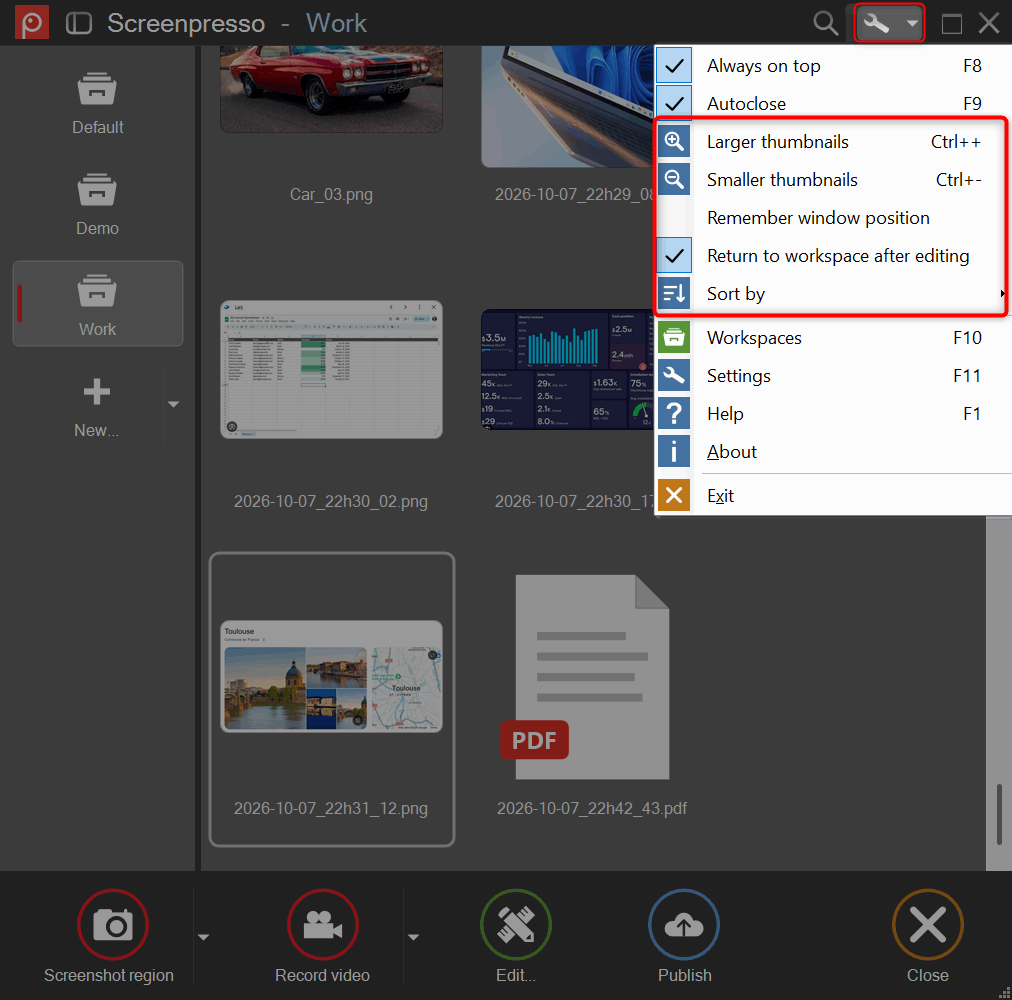
Settings and screenshots
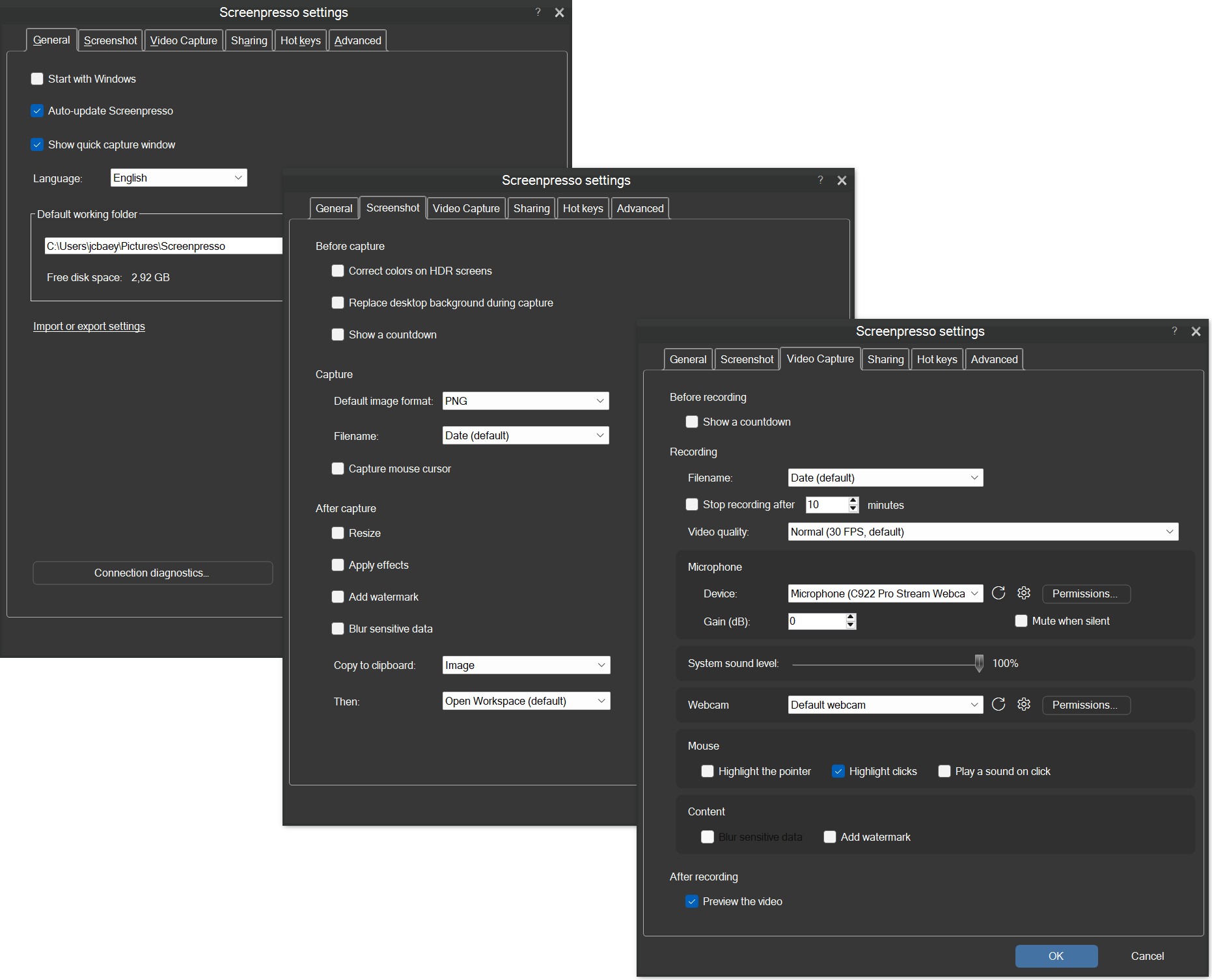
- Added an option in Advanced settings to view and change the position and size of the last screenshot area.
- Added an option to reset settings while keeping the license.
- Added a connection check in General settings to help resolve Internet access problems.
- Reorganized the general, screenshot, and video settings.
- Redesigned the capture countdown so the mouse remained usable while it ran.
- Made the first region screenshot quicker after startup, waking the computer, or a long idle period.
- Made region screenshots and the color picker respond faster to keyboard shortcuts.
- Fixed scrolling captures failing on some computers.
- Fixed capture highlights near screen edges.
- Restored missing scrolling capture buttons.
- Fixed overlapping buttons and cramped text in the connection check window on screens with enlarged text.
- Fixed advice about inaccessible folders being cut off on screens with enlarged text.
- Fixed cancelling a screenshot or the color picker leaving the previous app inactive; typing could resume in that app straight away.
Sharing and general improvements
- Added a Send a bug report button in Settings.
- Added an option to send diagnostic information to help troubleshoot problems, turned off by default.
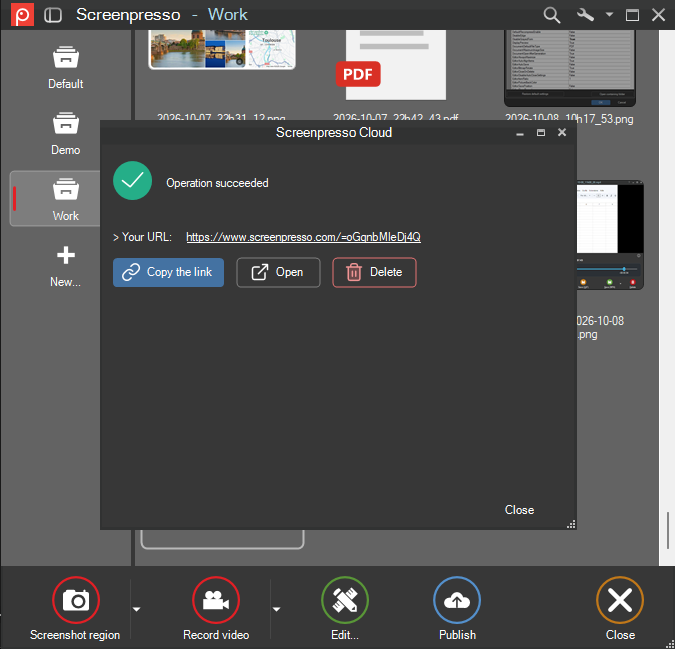
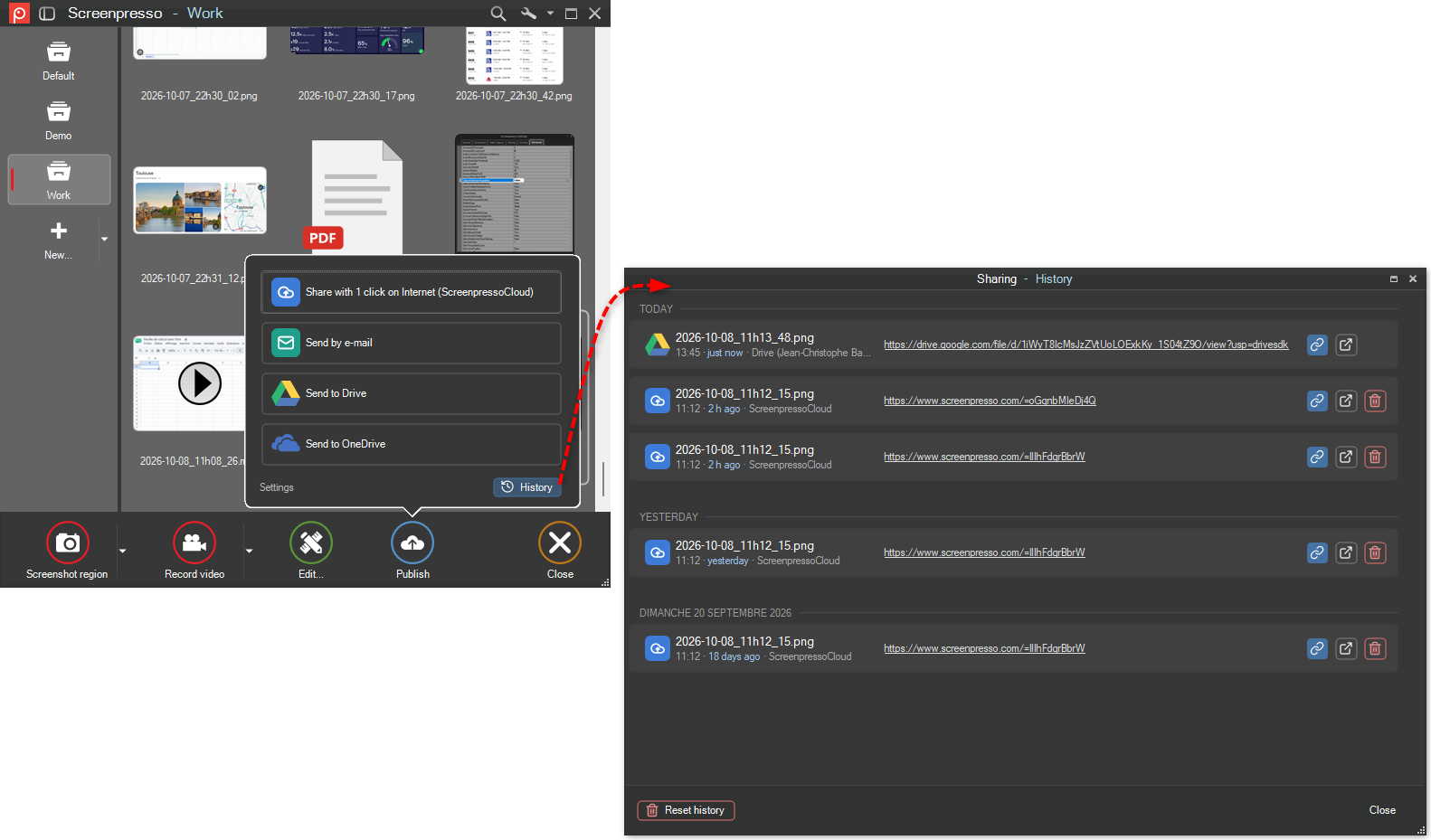
- Grouped sharing history by day, with easy access to copy, open, or delete shared links.
- Refreshed buttons and sharing icons for a more consistent appearance.
- Made warnings about conflicts with Logi Options+ clearer.
- Updated the components used to create documents from captures.
- Fixed sending bug reports when running Screenpresso without installing it.
- Fixed a startup crash on some older Windows versions.
- Fixed buttons for copying, opening, and deleting shared links being too small on screens with enlarged text and icons.
- Fixed missing prices and currency symbols in the Upgrade to PRO window on some computers.
Installation
- Refreshed the installer with a cleaner layout and easier-to-read text.
- Simplified the license page so clicking Install accepted the terms and started installation.
- Fixed startup failures in the Windows app package for ARM-based computers.
バージョン 2.3.7.11 のダウンロード
2026年10月1日
2.3.7.0
-
Image Editor:
- Added the Backspace key to delete the selected item
- Refactor the stamp picker layout, added fresh new stamps and added a section for your custom ones.

-
Workspace:
- Keep aspect ration on preview image
- Added a side panel button that shows or hides the workspaces panel
- Enhancement of the look and feel
- Added thumbnails size management in the workspace settings menu (in addition to the Ctrl++ and Ctrl+- shortcuts and Ctrl+mouse wheel).
-
Video capture:
- Apply the same mouse click visual effects on new record engine as the existing ones in legacy captures
- Indicating when the record engine is not ready yet at in the video toolbar
- Adding Pause and Redo in the video toolbar
- Webcam: enhance context menu (shape/position)
- Webcam: fix the the webcam position issue
- Webcam: adding a "mirror video" option
- Added the Hide all desktop icons checkbox to custom desktop settings.
- Added temporary desktop icon hiding through the desktop settings contract and preserved the original visibility during restoration.
-
Video format:
- Refresh the suggested video dimensions in the video toolbar as well as in the format video dialog
- Renew the file format icons in the format video dialog
-
Document generator:
- renew the file format icons
-
Image OCR:
- Fixed recognition of images exceeding Windows OCR's maximum dimensions.
- Removed the Tesseract legacy OCR.
-
Sharing
- Migrated OneDrive operations to Microsoft Graph and added Dropbox and Imgur token expiry and refresh handling.
-
Others
- Added the NoAI policy and command-line options for policy export and suppressing the workspace after capture.
2026年9月22日
2.3.6.0
-
Restored LastScreenshotRegion advanced setting
-
Fixed a rare issue displayed when the workspace was opening
-
Fixed some windows opening behind the workspace
2026年9月18日
2.3.5.0
-
Fixed Webcam display issue with high dpi screens
-
Restored email sharing
-
Added a solution window when the working folder is read only
2026年8月28日
2.3.4.0
-
Fix white screen during capture in some specific cases
-
Fix incorrect display size during capture in some specific cases
-
Fix video recording for graphic cards not supporting hardware acceleration
-
Restored Script sharing feature
2026年8月2日
2.3.3.0
-
Fix restart of Screenpresso when the computer resumes from sleep mode
-
Fix custom filename issue in Spanish
-
Improve video recording stability
2026年7月24日
2.3.2.0
- Fixed a language issue
2026年7月23日
2.3.1.0
Bug fixes
-
Fix clipboard issue
-
Fix window capture when in compatibility mode
-
Added a button in the settings window to open "Start with window" setting
2026年7月17日
2.3.0.0
Important notice
Screnpresso is now packaged into a msix install. It cannot be run in portable mode anymore.
Previous versions cannot automatically update to the new versions, so you must manually uninstall your current Screenpresso then download and install the new one. Live update will then be automatic thanks to the Microsoft msix engine.
Advantages of the new installer mechanism:
- Consistent: no more live downloads when required. Screenpresso is fully downloaded and installed in one step.
- Secure: it installs to the Program Files folder without requiring elevated priviledges because it is done by Microsoft and also because the software is then run inside a sandbox (container) that cannot modify your computer without your explicit consent.
- Fast: it deploys quickly and, when updating, downloads and installs only changes instead of the whole software.
- Transparent: live updates are done automatically and in background by Microsoft so you always have the latest version of Screenpresso without having to do anything.
Constraints of the new installer mechanism:
- Screenpresso cannot change the system's settings anymore for you so it will ask you do the changes when needed.
- To use a beta release or a specific version of Screenpresso you have to uninstall then install another package provided on our official web site.
- Since Chocolatey does not support msix packages yet, we have decommissioned it. For the moment you should prefer WinGet instead.
New features
-
Whole new installation engine based on Microsoft MSIX technology
-
The file activation.lic must now be stored in the folder C:\ProgramData\Screenpresso and not next to Screenpresso.exe anymore
-
Screenpresso is now based on the latest Microsoft .NET 10 framework and new libraries. This is a major internal change
-
Added native support for ARM64 processors (no emulation)
-
Added support for Microsoft OneDrive Business edition
-
Removed support for Microsoft OneNote
-
New design for the settings window
2026年6月12日
2.2.13
Important information for the futur releases
This is one of the latest automatic live update based on the current mechanism. Since the next official release will be only distributed via a Microsoft MSIX installer, you will soon have to manually uninstall your Screenpresso then install the new one to upgrade your version.
Improvements
-
Improved ScreenpressoCloud uploads performances.
-
Improved HDR screens support.
Bug fixes
-
Fixed an issue for Linear sharing.
-
Fixed the "Close" tooltip for the close button at the upper-right of all windows that was sometimes not hidden when it should.
2026年5月19日
2.2.12
Bug fixes.
